Scans - Detection Summary
From the Scans page, you can click a Model Artifact to view the Detection Summary, Attributes, and related MITRE ATLAS techniques.
Detection Categories
Scan results include a Detection Category and Threat Level to provide some insight into risks related to the model file. See Detection Categories for more information.
- From the Model Inventory page, click on a model card.
-
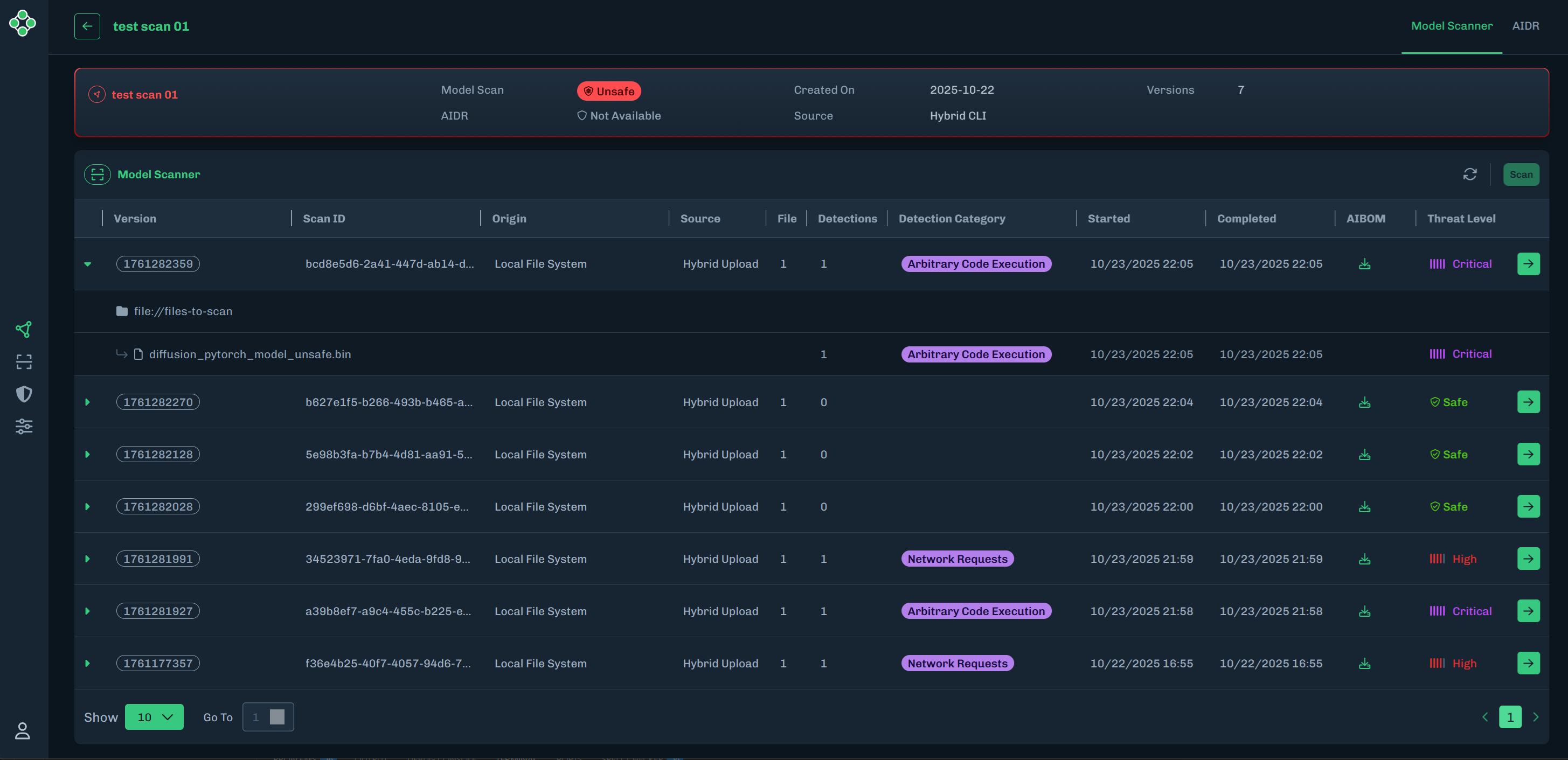
On the scan page, click the green arrow to the left of the model version to expand the row to see which scanned file resulted in a detection category.
-
On the scan page, click the green arrow to the right of the threat level to go to the Detection Summary page.
-
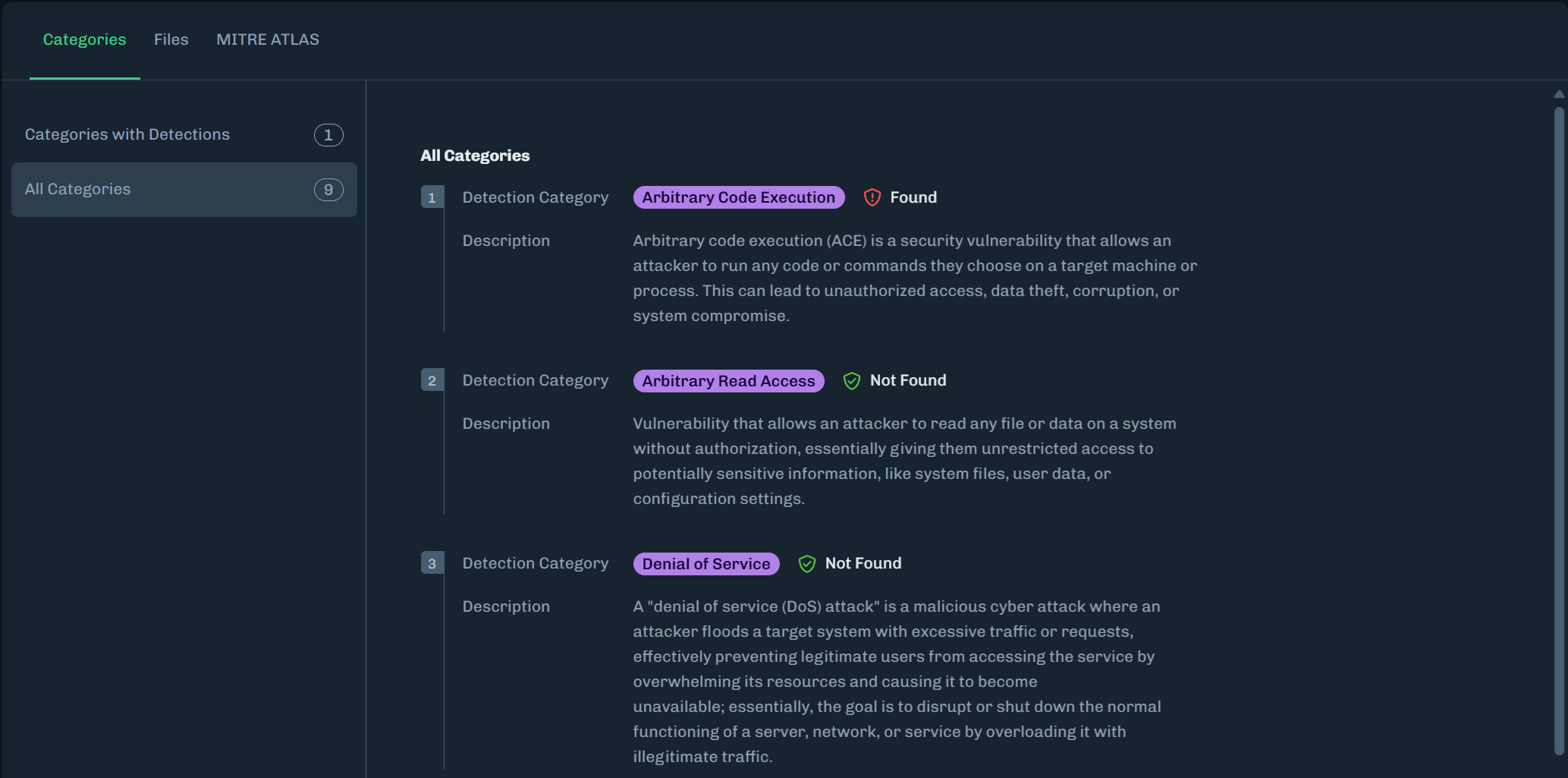
The Categories tab includes Detections and All Categories related to the scan results.
-
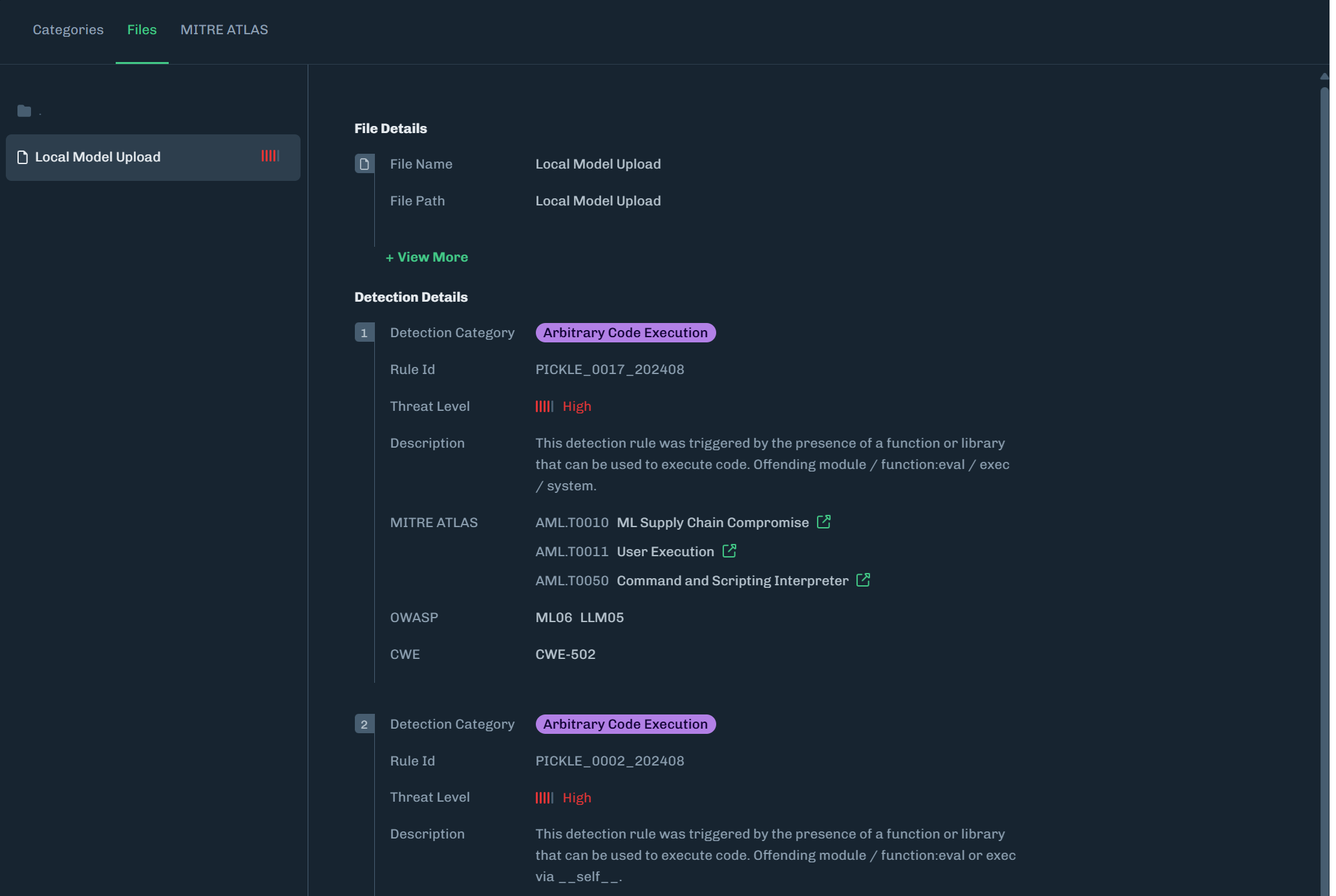
The Attributes tab includes a list of files related to the scan and details about the selected file.
-
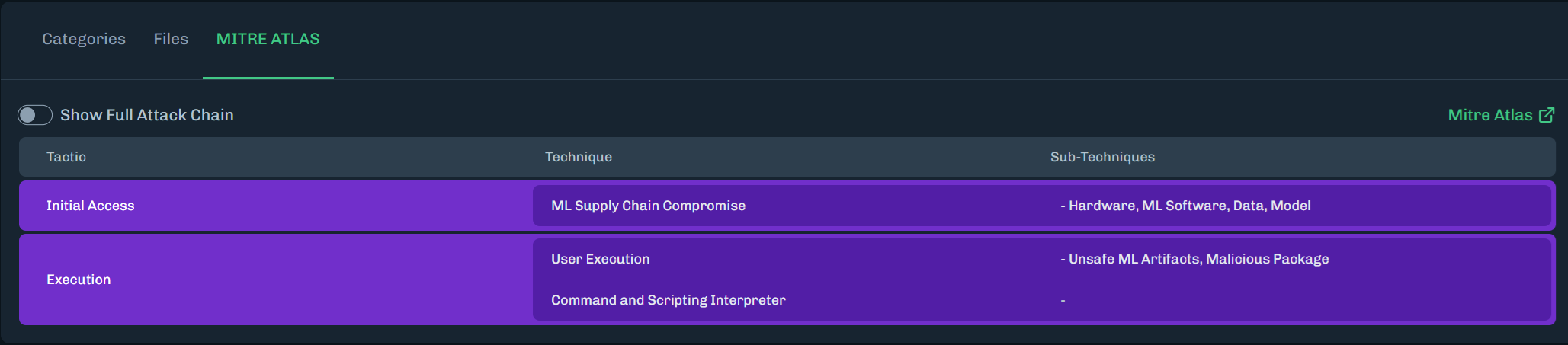
The MITRE ATLAS tab highlights MITRE ATLAS techniques related to the scan.
- Click Show Full Attack Chain to see all MITRE ATLAS techniques.